
Up to now, you’ve operated WordPress without writing a single line of code. “So there’s no place for HTML and CSS, then?”—there is. And in the juiciest spots, at that. When you reach for something themes and blocks can’t touch, whether you can write code changes how much freedom you have.
Chance 1: the Custom HTML block
The block editor has a block where you can write your own HTML directly. Its name is “Custom HTML.” Type “HTML” in the block search and it’ll show up.
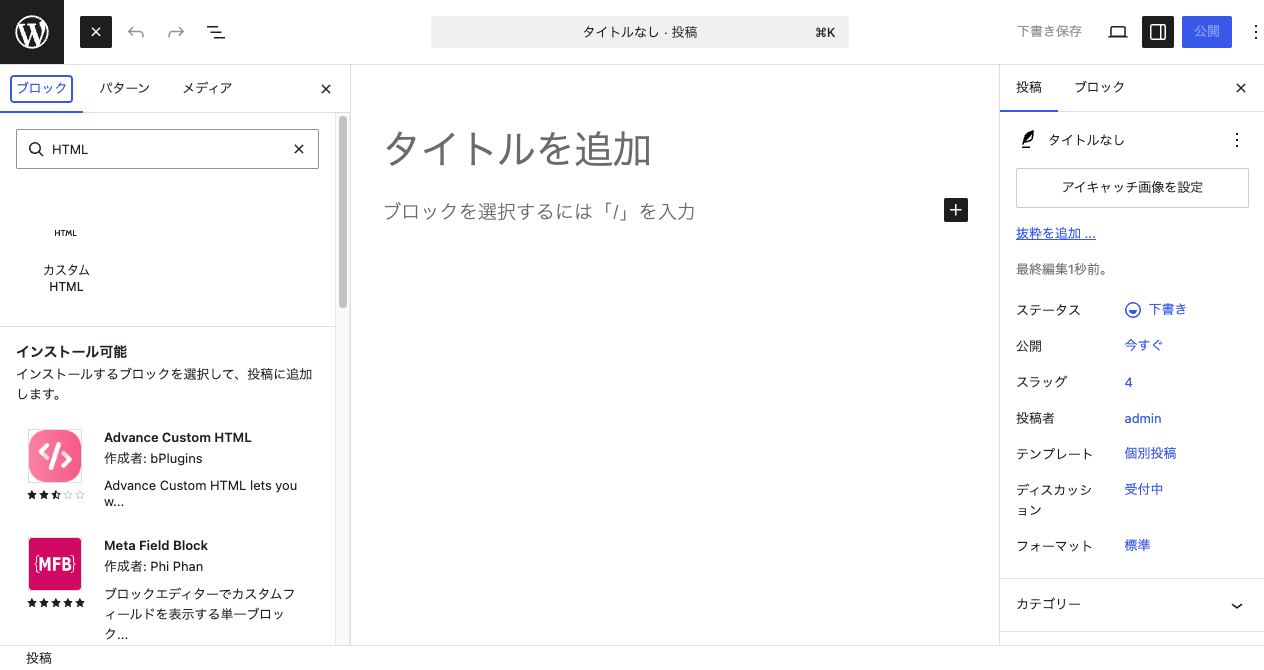
For example, you can drop a button like the one you made in the CSS course straight into an article.
<a href="#" style="display: inline-block; padding: 12px 28px;
   background: #ff8a3d; color: #fff; font-weight: bold;
   border-radius: 999px; text-decoration: none;">See details</a>
Layouts and embeds that a ready-made block can’t express can be assembled directly with tags in Custom HTML. “If it’s not in a block, write it yourself”—this is a privilege only for those who’ve learned tags.
Chance 2: Additional CSS
“The theme is fine as is, but I just want to change the heading color”—for times like that, WordPress provides a place to add your own CSS as an override on top of the theme. In many themes, you can write it from “Appearance” → “Customize” → “Additional CSS” (depending on the theme, it may be named “Styles” or similar).
h2 {
  color: #2c6fbb;
  border-bottom: 2px solid #2c6fbb;
}
Aim with a selector, tidy up with properties—everything you did in the CSS course works exactly the same for adjusting the WordPress screen.
Chance 3: you can “read” what’s inside a theme
What a theme really is: an HTML template and a bundle of CSS—you learned that two lessons back. In other words, since you can read code, you can
- understand the “customization examples” in a theme’s description
- when a bug occurs, make an educated guess in the developer tools about where the cause is
- eventually, move onto the path of building a theme itself from scratch (which needs a bit of a language called PHP)
From “someone who uses it” to “someone who can fix it.” Your standing in the WordPress world moves up a notch.
Theme developmentLet's build a theme for a company siteWhen you feel like building a theme itself from scratch, head to the advanced course “Theme Development.” You’ll build one company site all the way throughSummary of this lesson
- With the Custom HTML block, you can drop your own tags straight into an article—anything a block can’t express, you can build yourself
- With Additional CSS, you can make pinpoint overrides to a theme’s look—your selector knowledge applies as is
- When you can read code, you can understand a theme’s insides and narrow down bugs—from “someone who uses it” to “someone who can fix it”