
In the WordPress intro course, we learned up to “picking and wearing” a ready-made theme. This course goes further — stepping into the world of building your own theme. Our subject is the company site of a fictional sundries shop, “Shimaenagado.” We’ll build a layout that’s a staple of real-world web production, all the way through, along a single path.
WordPressWhat is WordPress?If WordPress itself is new to you, please start from the very beginning of the intro course (WordPress edition) firstWhat changes when you can build your own theme?
“Isn’t a ready-made theme enough?” — that’s a fair question, so let’s answer it first.
- You gain design freedom — a ready-made theme lets you customize “within a prepared range.” When you build your own, any design you can write in HTML and CSS can be put onto WordPress
- You become able to read the insides of existing themes — once you’ve built the structure yourself, you can see “where to fix” in someone else’s theme too. This is exactly the skill that pays off in real-world customization jobs
- It connects directly to real-world web production — “building a company site with an original design in WordPress” is a classic web-production job in itself
In other words, this course is a step up from “someone who can use WordPress” to “someone who can build with WordPress.”
The finished picture
Once you make it to the end of the course, a corporate site like this will run on your own theme.
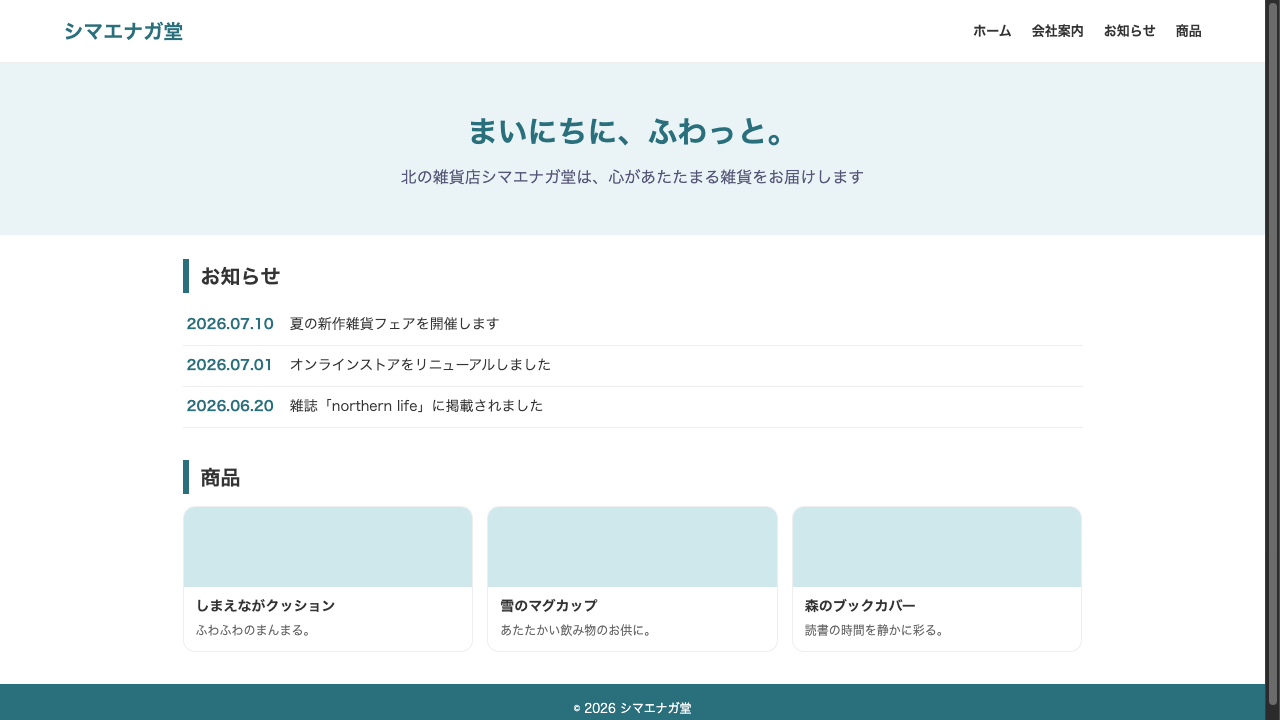
The page structure is the very “template” of a company site.
| Page | Content | How it’s built (file in charge) |
|---|---|---|
| Top | Hero + announcements + products | front-page.php |
| About | Static page | page.php |
| Announcement list | Post list, category filtering | home.php / category.php |
| Announcement detail | The body of a post | single.php |
| Product list & detail | Custom post type | archive-•••.php / single-•••.php |
The right-hand column of this table is the “template files.” They may look like magic spells right now, but don’t worry — through the course, we’ll write each one by hand.
Reading the map: pages have two personalities
Look closely at the table above and you’ll see pages split into roughly two kinds. It’s that distinction you learned in the intro course.
- Pages that keep piling up, dated — announcements. Every time you write one, one more appears, and they line up newest-first in the list. In WordPress these are handled by posts
- Pages that are just always there — the About page. It doesn’t pile up, and the date isn’t its essence. It’s handled by static pages
And products are a “third kind” that’s neither of these two — you’ll define them yourself as a custom post type in the second half of the course. The question “which personality does this page have?” becomes the yardstick that decides which template file you build next.
The learning journey (4 chapters)
- Getting ready — build a development environment with Local, launch a minimal theme, and learn the bare minimum of PHP for themes
- Templates — learn the “template hierarchy,” the rule for how URLs map to files in charge, and build the top, static pages, lists, and details
- functions.php — the correct way to load CSS, menus editable from the admin screen, and implementing “products” with custom post types and custom fields
- Finishing — polish it into a proper theme and complete it
What to bring before we start
- HTML and CSS — writing tags and selectors is enough (HTML course / CSS course completion level)
- Basic WordPress operations — you understand what posts, static pages, and themes mean (the content of the intro course)
- Knowledge of PHP — not needed. You’ll learn just the minimum a theme requires, within this course
Summary of this lesson
- The deliverable of this course is the Shimaenagado company-site theme — a real-world layout with announcements, an About page, and products
- The journey is 4 chapters: getting ready → templates → functions.php → finishing. We write each template file by hand
- No prior PHP knowledge is required — it’s built so that if you can do HTML/CSS, you can get in