
So far we’ve written just a single line of <h1>. But a real HTML file actually has a fixed shape (a template). “Where am I supposed to put my tags?” — that question gets cleared up right here.
Here is the basic shape
Just about every HTML file starts from something like this. No need to memorize it by heart. For now, just take a look and think, “ah, so there’s an outer frame like this.”
<!DOCTYPE html>
<html>
  <head>
    <title>My Page</title>
  </head>
  <body>
    <h1>My First Page</h1>
    <p>Write your body text here.</p>
  </body>
</html>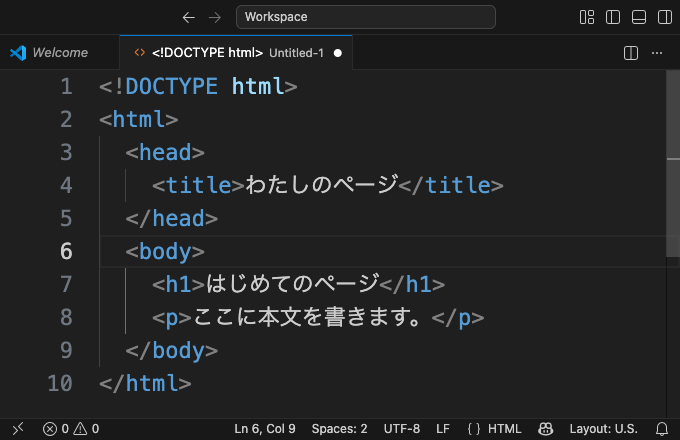
There are a lot of tags, but if you look at them one role at a time, it’s simple.
| Tag | Role |
|---|---|
<!DOCTYPE html> | The opening greeting that says “this is an HTML document” (think of it as a magic word that always goes on line 1) |
<html> | The outermost box that wraps the whole page |
<head> | Where you write behind-the-scenes information (like the page title; it doesn’t appear on screen) |
<body> | Where you write the content people see on screen ←★ this is the star of the show |
Where does show up? — take a look at the tab
You wrote <title>My Page</title> inside <head>. It doesn’t appear on the screen, so what’s it for? The answer is up at the top of the browser, in the tab. The very page you’re reading right now should have the article’s name showing in its tab too.
<title> is, so to speak, the page’s name tag. Besides the tab, it’s used as the name when you bookmark the page, and as the heading that shows up in search results. It doesn’t appear inside the screen, but it’s quietly doing its job — that’s what “behind the scenes” means.
divs and headings go inside
This is the most important part of today. Headings <h1>, paragraphs <p>, and things like <div> — everything you want to show on screen goes inside <body>.
<body>
  <h1>A big heading</h1>
  <p>A normal paragraph.</p>
  <div>A single block.</div>
</body>
The answer to “where do I write <div>?” is inside <body>. Put another way, if you write a heading inside <head>, it won’t show up on screen. Things you want to show go in body, behind-the-scenes information goes in head — once you’ve got this division of roles, you’ll never be lost about where to write things again.
Common mistakes when writing the shape
The spots where people trip up on this shape are pretty much always the same. If you know about them ahead of time, there’s nothing to be afraid of.
- Forgetting the
/in a closing tag — dropping the/in</body>, so you end up with two<body>tags, is a common slip - Mixing up the closing order — writing them in the order
</html></body>(correctly, the inner</body>comes first) - Spelling of DOCTYPE —
<!DOCTYPE html>goes on line 1, exactly in this form. If you’re not confident about memorizing it, copying is fine
Summary of this lesson
- HTML has a fixed shape of
<!DOCTYPE html>→<html>→<head>→<body> - Things you want to show on screen (
<h1>,<p>,<div>, and so on) go inside<body> <head>holds the behind-the-scenes information (it doesn’t appear on screen)<title>is the page’s name tag that shows in the tab