When you want to put a passage from a book, or something someone said, on your page, the quotation tags clearly show “these aren’t my own words; they’re borrowed.” They don’t blend in with your own writing, which makes things easier for readers too.
Use blockquote for a block of quotation
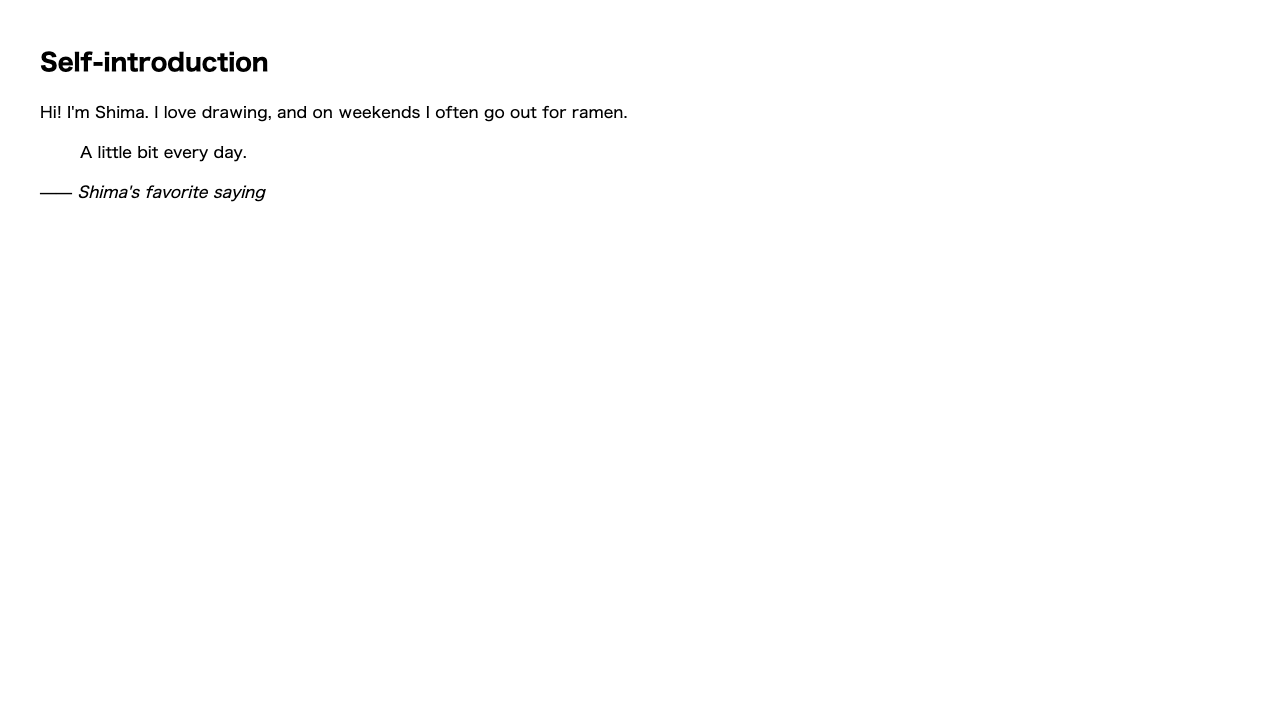
<blockquote> is for quoting a whole chunk of text at once. In most browsers it’s displayed indented a little on both sides, so you can tell “ah, this is a quote” just by looking.
<blockquote>
  <p>Persistence is power. Take one small step, every day.</p>
</blockquote>Inside <blockquote>, you can put things like <p> as usual. Picture it as “placing your usual paragraph inside the quotation box.”
Use q for a short phrase within a sentence
To slip a short quote into the middle of your text, use <q>. q is short for quote. In most browsers, it automatically adds quotation marks (” ”) for you.
<p>The teacher always said <q>don't rush, do it carefully</q>.</p><q>.You don’t have to type the quotation marks yourself — <q> both signals “this is a quote” and adds the marks for you.
Use cite to show where it came from
When you want to add the source (like a book’s title), use <cite>. In most browsers it becomes italic, marking it as “this is a work’s title.”
<blockquote>
  <p>I am a cat. As yet I have no name.</p>
</blockquote>
<p>—— <cite>I Am a Cat</cite></p><cite> turns italic, marking it as “this is a work’s title.”Quietly attach the source URL (the cite attribute)
Separate from the <cite> tag, <blockquote> and <q> also have an attribute called cite. It’s a bit confusing, but the <cite> tag is the source name that shows on screen, while the cite attribute is the source URL that doesn’t show on screen.
<blockquote cite="https://example.com/meiji-bungaku">
  <p>I am a cat. As yet I have no name.</p>
</blockquote>| What you write | Visible? | Role |
|---|---|---|
<cite>work title</cite> | Visible | The source name shown to readers |
cite="URL" (attribute) | Not visible | The source address for browsers and search engines |
While you’re a beginner, there’s no need to force yourself to use it. “The visible source is the <cite> tag; the invisible source is the cite attribute” — just knowing that there are two things with the same name but different roles means you won’t be puzzled when you come across one later.
Summary of this lesson
- A block of quotation is
<blockquote>(put a<p>inside) - A short quote within a sentence is
<q>(quotation marks are added automatically) - You can show the source with
<cite>