
Now that the framework is in place, let’s build the face of the site—the top page. The file in charge is front-page.php, which you learned about in the template hierarchy. We’ll build a hero (a big catchphrase) and a section where the latest 3 news posts line up automatically. “Publish a post and it shows up on the top page on its own”—this is the chapter where you first get to taste what makes a CMS a CMS.
The foundation of front-page.php
Create a new front-page.php in your theme folder. Once this file exists, the top page is handled by it instead of index.php. Your folder now looks like this.
shimaenagado/
├── footer.php
├── front-page.php   ← create this now
├── header.php
├── index.php
└── style.css
<?php get_header(); ?>
<div class="hero">
<h1>A soft little something, every day.</h1>
<p>Shimaenagado, the northern goods shop, delivers goods that warm the heart</p>
</div>
<section class="section">
<h2>News</h2>
<!-- the latest 3 items go here -->
</section>
<?php get_footer(); ?>The hero is, for now, just plain HTML. Save with this first and confirm that the top page has switched over to its new handler.
Fetch the “latest 3 items” with WP_Query
The news list is pulled out with a tool called WP_Query. It’s an order form that says “please give me posts matching these conditions.”
<?php
$news = new WP_Query([
  'post_type'      => 'post', // from among the posts
  'posts_per_page' => 3,      // only 3 items
]);
?>
Once you’ve placed the order, you line up the delivered posts with a loop. It’s the “with an order form” version of the loop you learned in the PHP intro.
<section class="section">
  <h2>News</h2>
  <?php
  $news = new WP_Query([
    'post_type'      => 'post',
    'posts_per_page' => 3,
  ]);
  ?>
  <ul class="news-list">
    <?php while ($news->have_posts()) : $news->the_post(); ?>
      <li>
        <time><?php the_time('Y.m.d'); ?></time>
        <a href="<?php the_permalink(); ?>"><?php the_title(); ?></a>
      </li>
    <?php endwhile; wp_reset_postdata(); ?>
  </ul>
</section>
There are only three newly introduced functions.
| Function | Meaning |
|---|---|
the_time('Y.m.d') | Displays the publish date in “2026.07.10” format |
the_permalink() | Displays that post’s URL (into the a tag’s href) |
wp_reset_postdata() | Cleanup that returns things to “the usual state” once the order is done. Comes as a set with your own WP_Query loop |
Apply CSS too and make it “the face”
Add the styles for the hero and the news to style.css (append below the theme’s name-tag comment).
.hero {
  background: #eaf4f6;
  text-align: center;
  padding: 64px 5%;
}
.hero h1 {
  font-size: 32px;
  color: #2a6f7c;
  margin: 0 0 8px;
}
.section {
  max-width: 900px;
  margin: 0 auto;
  padding: 32px 5%;
}
.section h2 {
  border-left: 6px solid #2a6f7c;
  padding-left: 12px;
}
.news-list {
  list-style: none;
  margin: 0;
  padding: 0;
}
.news-list li {
  display: flex;
  gap: 16px;
  padding: 10px 4px;
  border-bottom: 1px solid #eee;
}
.news-list time {
  color: #2a6f7c;
  font-weight: bold;
  flex-shrink: 0;
}
.news-list a {
  color: #333;
  text-decoration: none;
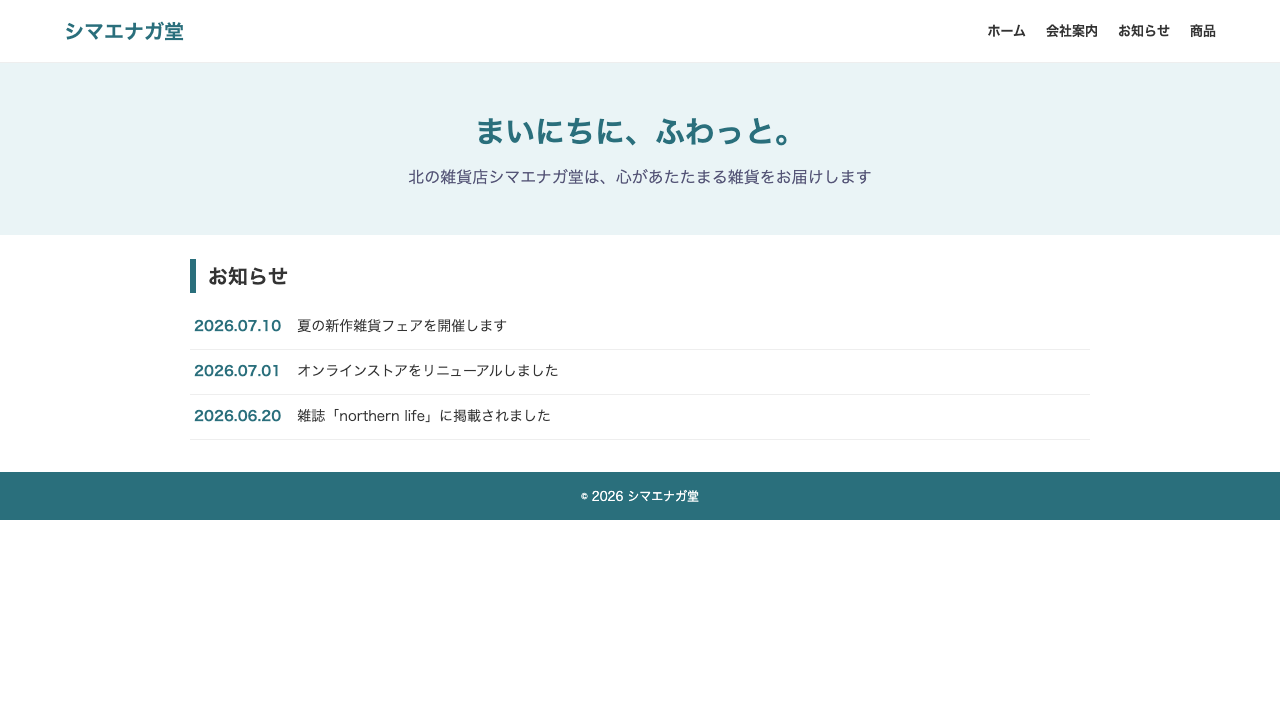
}Once you get this far (after wiring the CSS), the top page takes on this look.
Summary of this lesson
- The top page is handled by
front-page.php—the moment you create it, the handler switches over from index.php - WP_Query is a post order form—order things like “3 posts” with
post_typeandposts_per_page, and line them up with a loop - End your own order loop with
wp_reset_postdata()to clean up—learn it as a set by hand