
The most frequently updated part of a company site is the news. This time we build its list page and article detail page in one go. The templates are home.php and single.php—with just the tools you’ve had so far (the loop, the_title, the_content), you can already build both.
Setup first: decide the “posts page”
There’s one WordPress-specific quirk. You specify which URL the post list sits on in the admin screen.
- In “Pages” → “Add New,” create and publish an empty static page titled “News” (the body can be empty)
- Open “Settings” → “Reading”
- Set “Your homepage displays” to “A static page,” and specify Homepage = the static page for the top (e.g., Home), and Posts page = News
This makes the /news/ URL become “the post list,” and its handler template becomes home.php. The division is “the list’s location is a setting, its look is a template.”
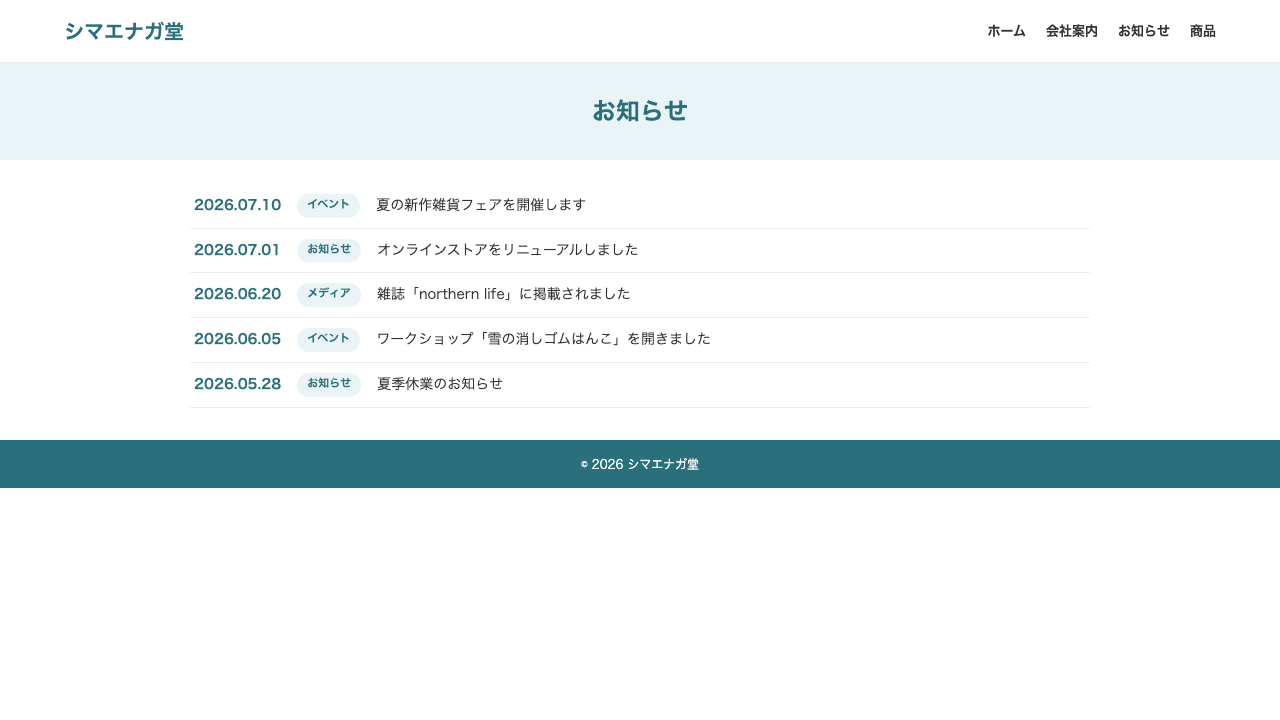
home.php—the list page
This time create two new files in your theme folder: home.php and single.php. Your folder now looks like this.
shimaenagado/
├── footer.php
├── front-page.php
├── header.php
├── home.php     ← create this now
├── index.php
├── page.php
├── single.php   ← create this now
└── style.css
Let’s start with home.php. It closely resembles the news area of front-page.php, but this one receives via the main loop (you don’t write WP_Query yourself).
<?php get_header(); ?>

<h1 class="page-heading">News</h1>

<main class="section">
  <ul class="news-list">
    <?php while (have_posts()) : the_post(); ?>
      <li>
        <time><?php the_time('Y.m.d'); ?></time>
        <a href="<?php the_permalink(); ?>"><?php the_title(); ?></a>
      </li>
    <?php endwhile; ?>
  </ul>

  <div class="pagination">
    <?php the_posts_pagination(); ?>
  </div>
</main>

<?php get_footer(); ?>
The new face is the_posts_pagination(). When posts pile up, it automatically produces the page navigation (“1 2 3 …”). How many items show per page is decided by “Settings” → “Reading” → “Blog pages show at most.”
single.php—the article detail
The page you land on after clicking a link in the list: the article body itself. It’s almost the same form as page.php, adding only a date and a way back.
<?php get_header(); ?>

<main class="section">
  <?php while (have_posts()) : the_post(); ?>
    <article>
      <h1 class="page-heading"><?php the_title(); ?></h1>
      <p class="entry-meta"><time><?php the_time('F j, Y'); ?></time></p>
      <div class="entry-content">
        <?php the_content(); ?>
      </div>
    </article>
  <?php endwhile; ?>

  <p><a href="<?php echo get_post_type_archive_link('post'); ?>">← Back to the news list</a></p>
</main>

<?php get_footer(); ?>
Compare it with page.php—you should see that the form is exactly the same. Once you’ve got “the basic form for displaying the content of a single item” down, the detail page is already a bonus stage.
.entry-meta {
  text-align: center;
  color: #2a6f7c;
  font-weight: bold;
  margin-top: -12px;
}
.pagination {
  text-align: center;
  margin-top: 24px;
}Summary of this lesson
- The post list’s location is decided in “Settings” → “Reading” (specifying the posts page). The look is handled by
home.php home.phpruns the list with the main loop, and automates the page navigation withthe_posts_pagination()single.phpis the same basic form as page.php plus a date (the_time) and a way back